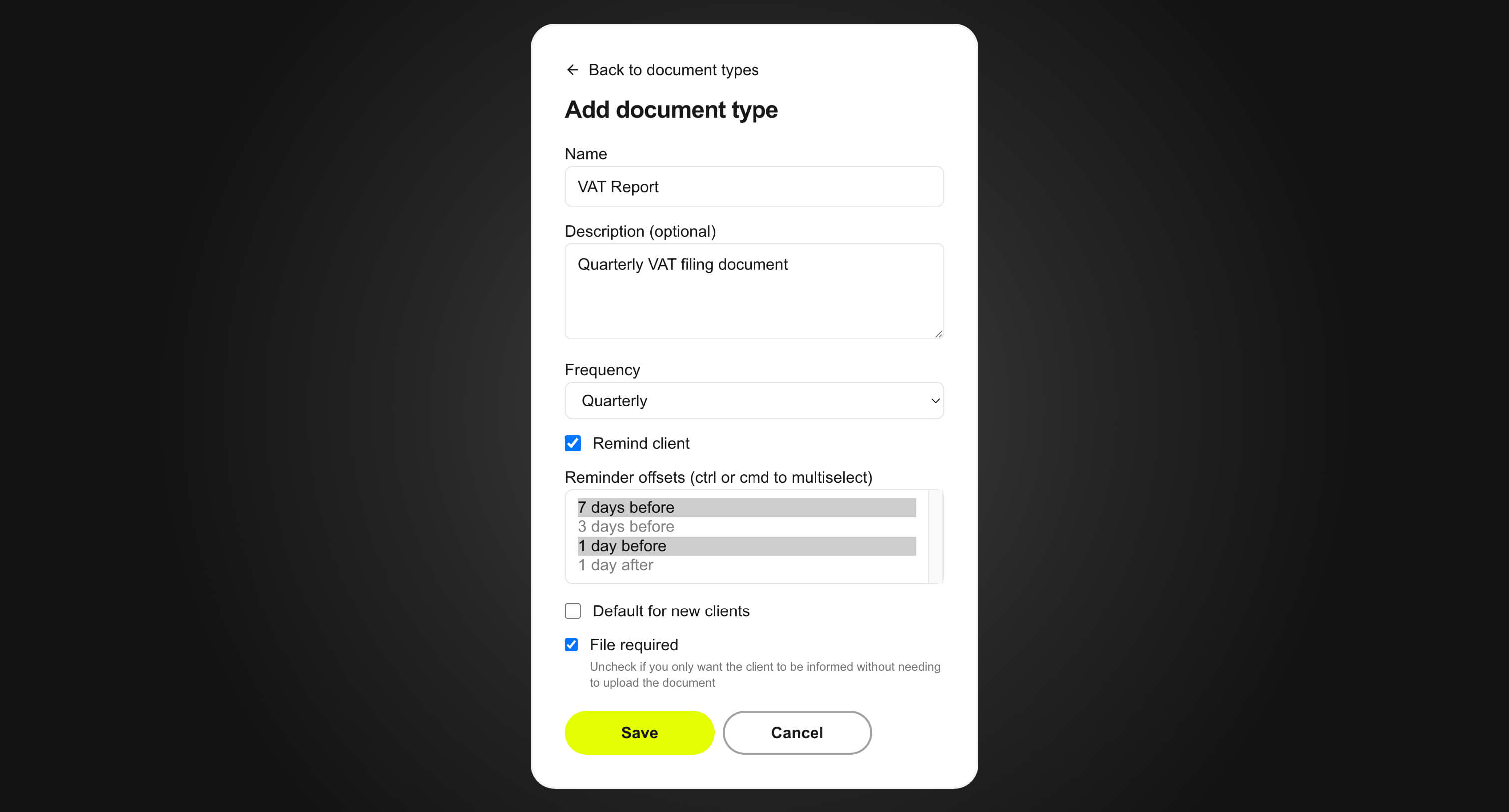
Step 1
Create a document type (VAT Report)
Define a reusable document type with clear requirements so every client submits the same file format.
Set up recurring document collection in six clear steps for owner and clients.
Step 1
Define a reusable document type with clear requirements so every client submits the same file format.

Step 2
Send a secure invite link so clients access their workspace without sharing files over email.
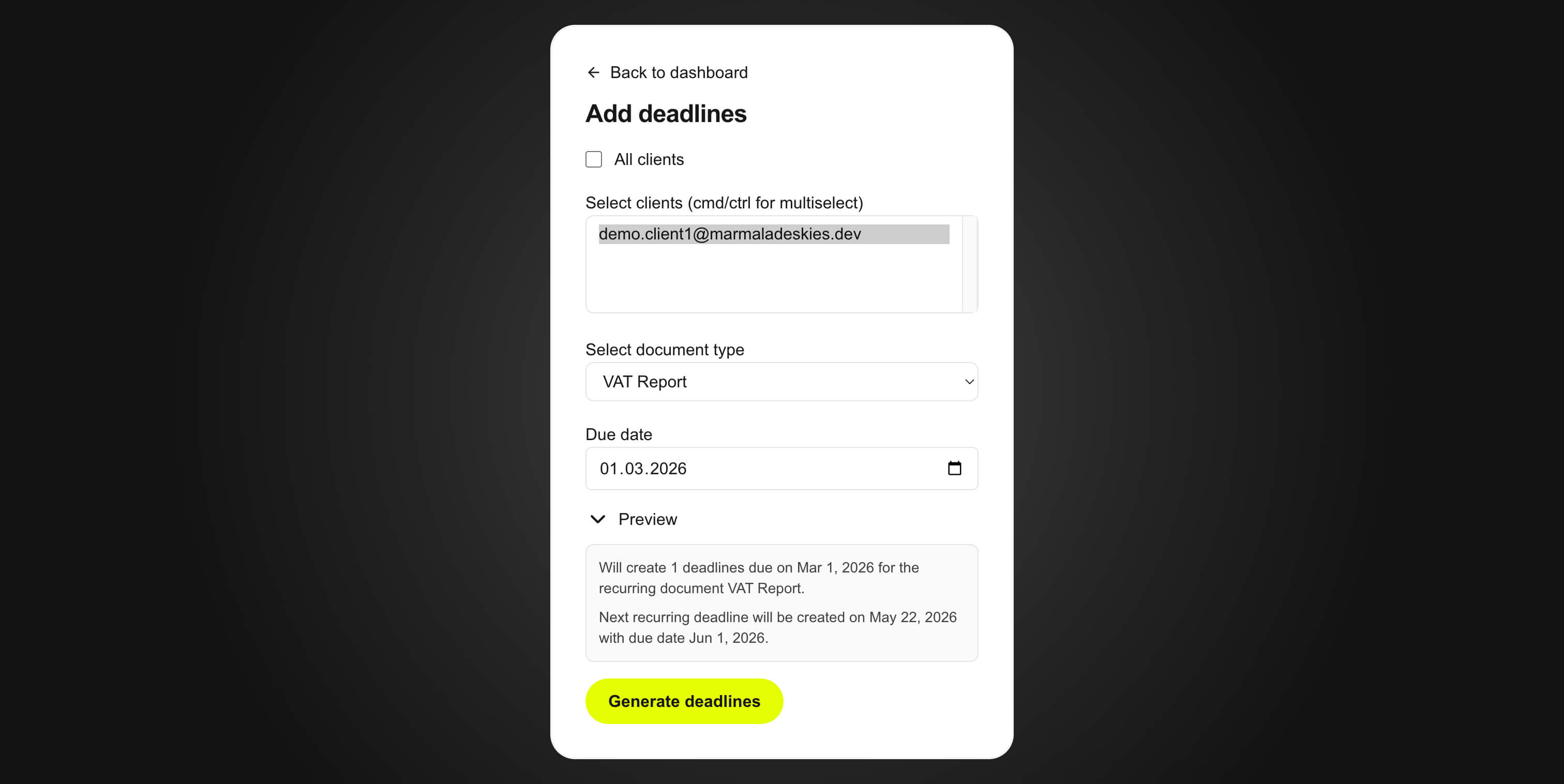
Step 3
Assign due dates and keep all submissions tied to specific periods and responsible clients.
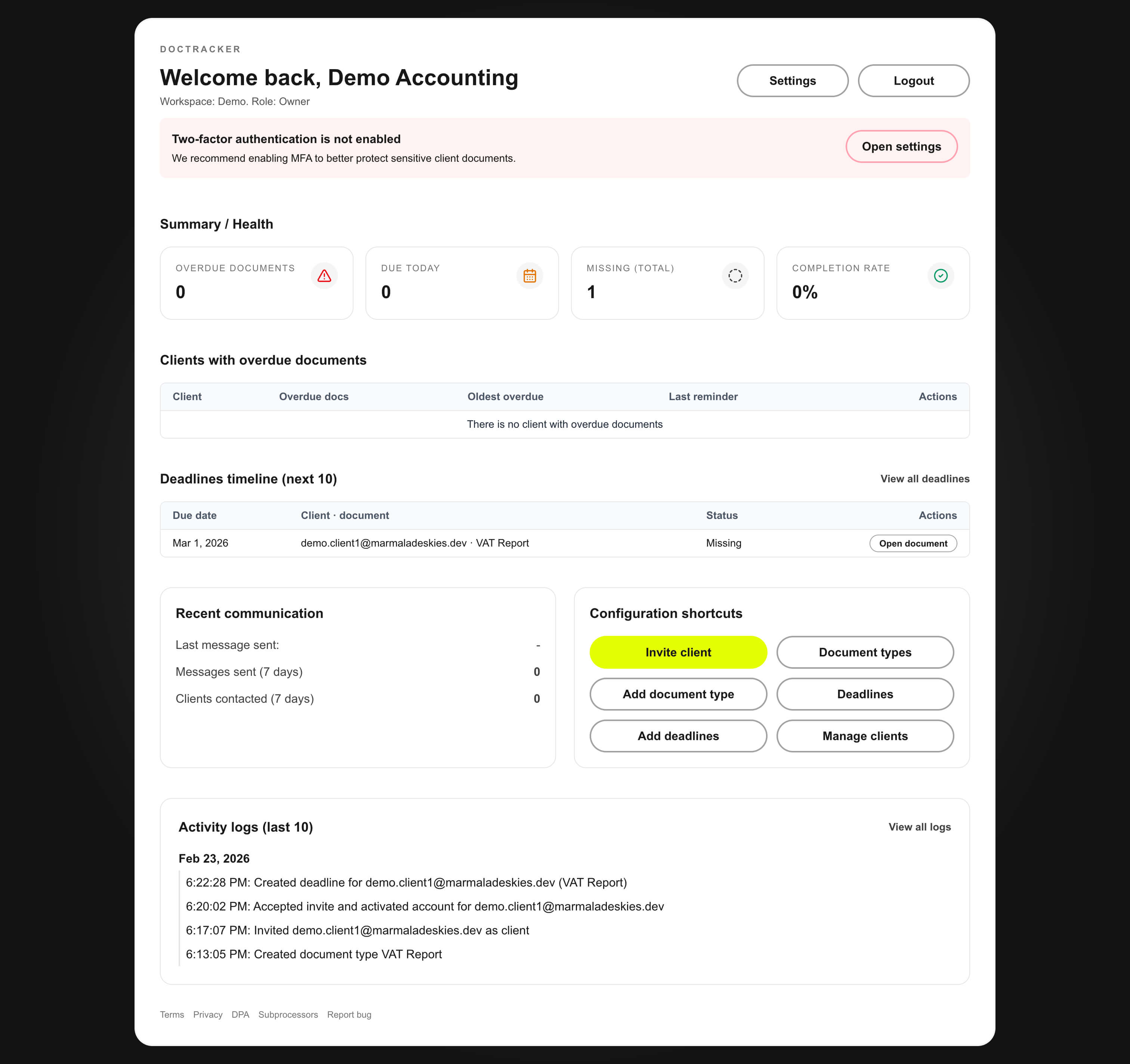
Step 4
Use the dashboard to see overdue and missing items instantly and focus follow-ups where risk is highest.
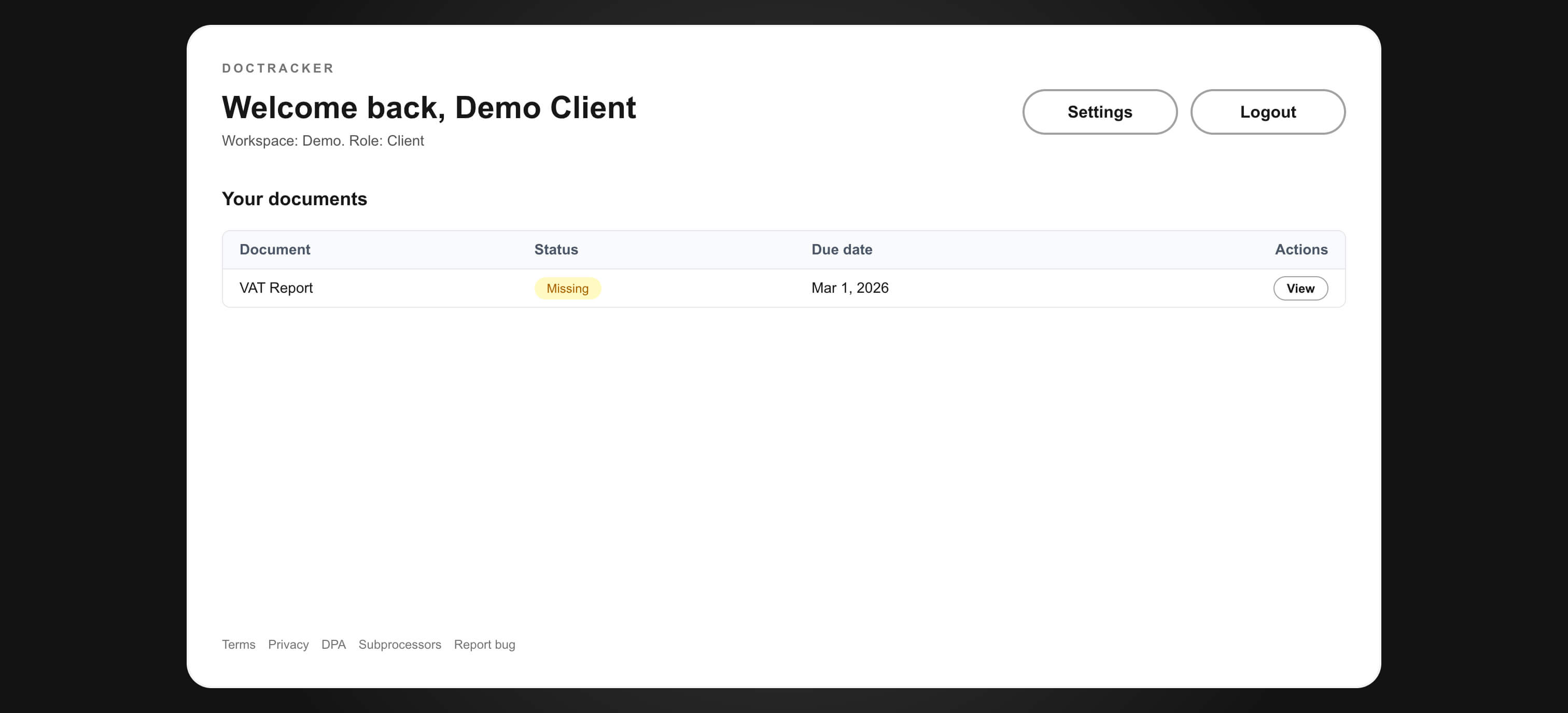
Step 5
Clients get a clear list of required files and current statuses, reducing clarification requests.
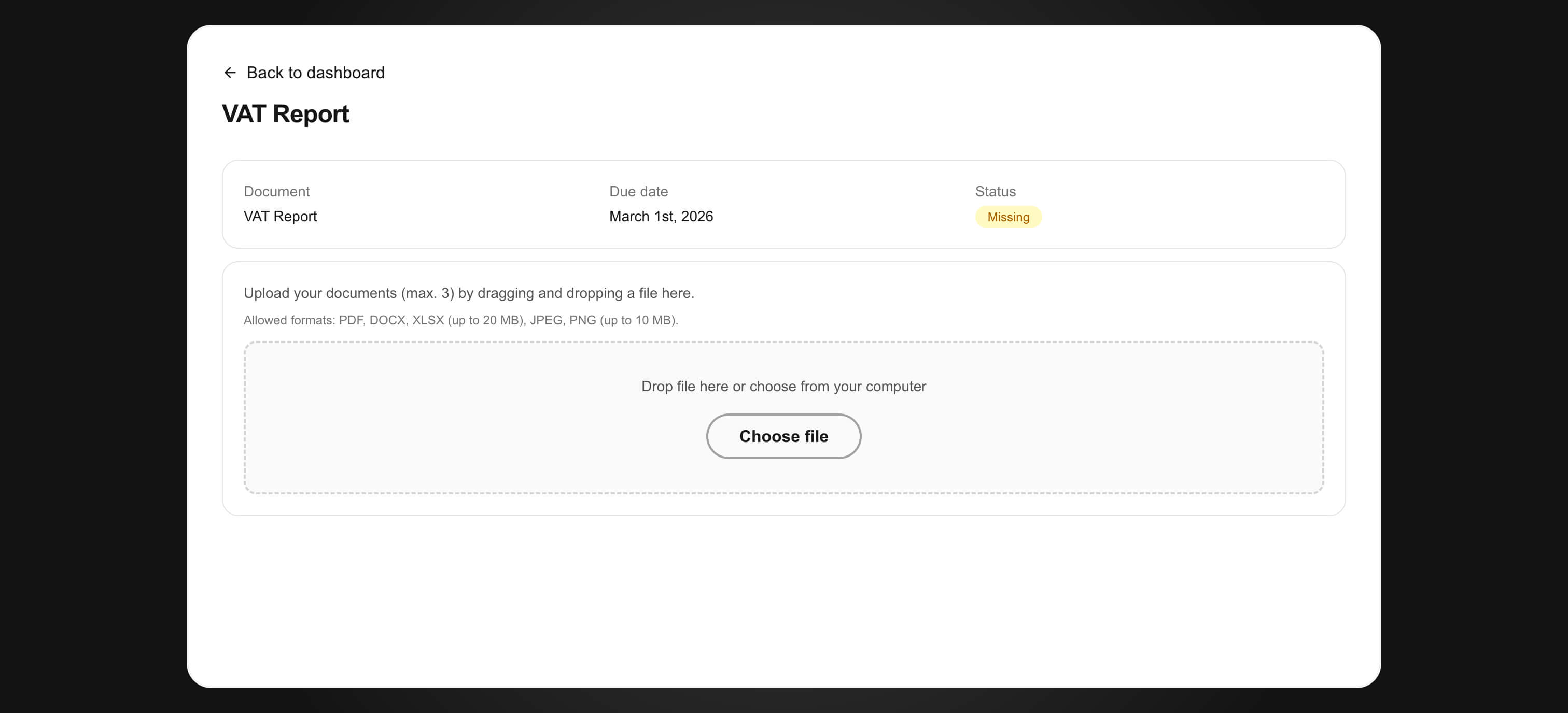
Step 6
Clients upload directly to DocTracker so the owner receives documents in one controlled location.